Pulse tests whether you can notice a target signal and control your response under time pressure. The shapes are intentionally similar, so the useful skill is not memorizing a sequence; it is maintaining a steady scan and responding only when the red dot is present.
This guide describes HireVueGames' independent Pulse practice. It can make the format more familiar, but it cannot reveal an employer's scoring model or guarantee an assessment outcome.
What Is the HireVue Pulse Game?
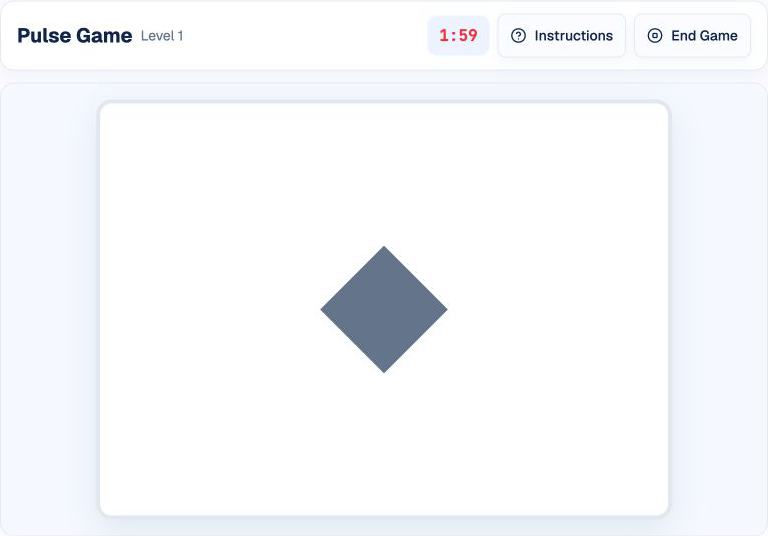
Pulse is a timed visual-response task. A shape appears in the stage for a short interval. Some shapes carry a red dot and require a response; others do not, and the best response is to wait.
The independent practice uses five shape types and a two-minute round. Other assessment versions may use different visual elements, timing, target rules, or scoring.
How the Pulse Game Works
The round begins after the start screen. A shape appears, sometimes with a red dot in one of the stage's corners. Click, tap, or press Space only when the dot is visible. The practice then records the response and loads the next object.
The pace increases when responses remain accurate. A click without a red dot is a false alarm; failing to respond to a red dot is a miss. Waiting when no target appears is a correct rejection.
A Reliable Pulse Response Routine
1. Keep Your Eyes Near the Center
Use the shape as your anchor and let the dot register in peripheral vision. Constantly moving your eyes between corners can slow the decision.
2. Confirm Before You Respond
Do not click because a new shape appeared. First confirm that the red dot is present, then respond once.
3. Treat Waiting as an Action
When there is no dot, holding back is the correct choice. Avoid turning uncertainty into a guess.
4. Reset After Every Trial
After a miss or false alarm, return to the same scan routine. Chasing the previous mistake usually creates another early response.
Common Pulse Mistakes
- Clicking on every shape: confuses movement with the target signal.
- Scanning the corners first: adds unnecessary eye movement and delays responses.
- Rushing after a miss: turns one error into a false alarm.
- Waiting too long for certainty: sacrifices a target that was already visible.
- Treating practice feedback as an official score: the simulation does not reproduce an employer's scoring model.
How to Practice Pulse Effectively
Start with a calm, repeatable scan rather than trying to maximize speed immediately. Notice whether your errors come from missed dots, early clicks, or attention drifting between trials. Short sessions with consistent technique are more useful than repeatedly restarting after a single mistake.
If you are preparing for a named assessment, use the game and timing information in your invitation as the source of truth. Independent practice can support familiarity and pacing, but it cannot reproduce proprietary questions or predict hiring outcomes.
Practice the Pulse Format
Use Pulse practice to try the target-detection routine in a timed independent simulation.
For related visual formats, see the Singularity guide, Shapedance guide, and Numerosity guide.
Disclaimer: HireVueGames is an independent preparation platform and is not affiliated with, endorsed by, or operated by HireVue. This guide describes independent practice and does not reproduce HireVue's proprietary questions, behavioral model, scoring system, or employer evaluation process. It is not an official HireVue assessment, exact replica, or score prediction tool.
Related Guides
Numerosity Guide
Learn how to approach numerical reasoning and timing pressure.
Read GuideSingularity Guide
Build a calmer scan path for outlier detection and visual processing.
Read GuideShapedance Guide
Practice visual matching, orientation, and pattern rules with less guesswork.
Read Guide